Hi Steph,
I am working on the SQM. It had that plastic diffuser. We need one from quartz. I had several made, and need to pick the best. So the test I want to do is “which one is most uniform?”
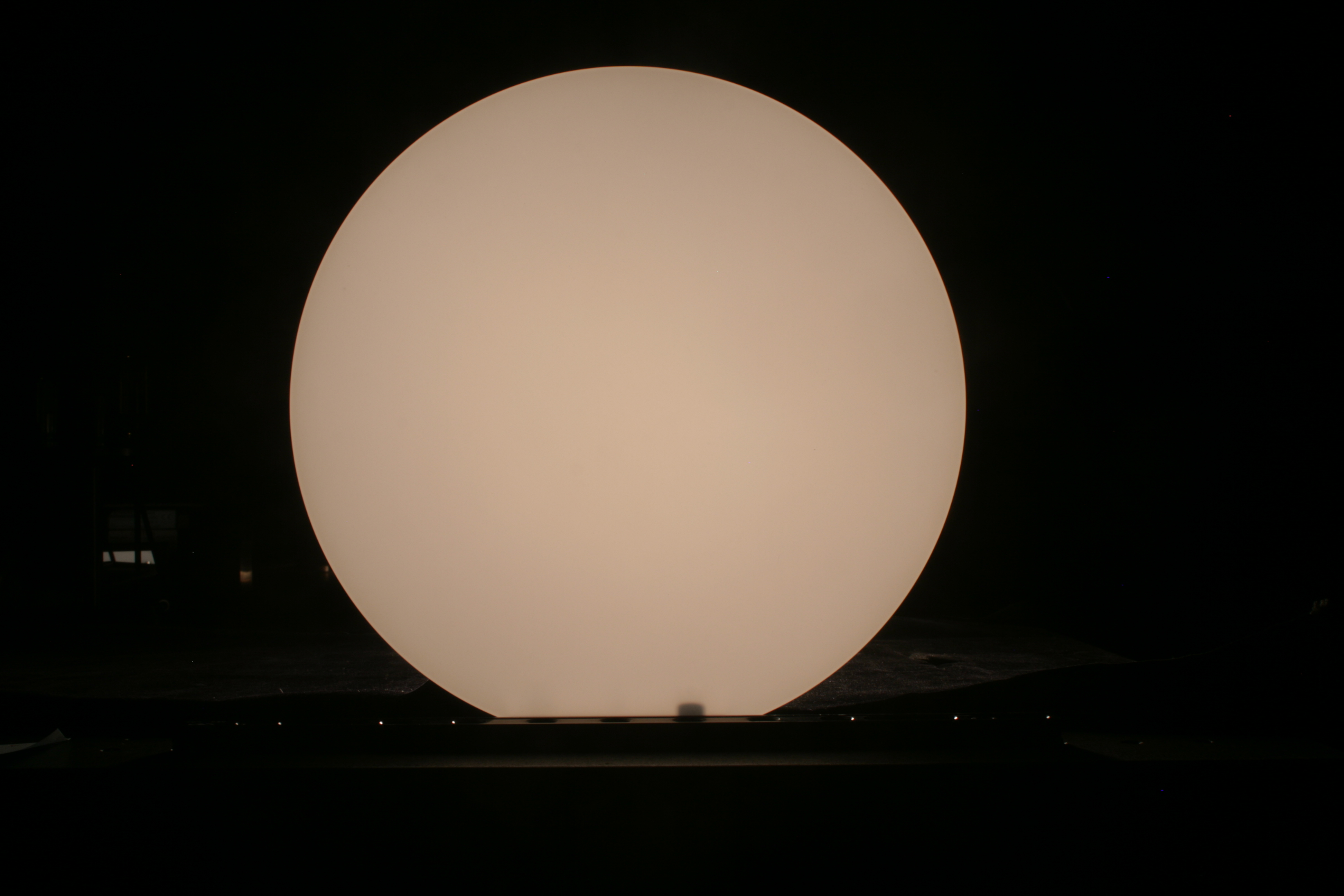
I am using my digital camera (Canon Rebel xTi) to take the images. It has a JPG (8 bit) and RAW (12 bit?) format. I don’t understand much about this, but evidently you get the individual red, green, and blue pixels for the RAW and you get the 12 bit resolution. Here is one image in both formats.
I can open the JPG using the [x map]=image(‘file.jpg’) command. But it barfs with this command on the CR2 (raw) file.
If you have a “second” do you know how to read the CR2 file? I can get help here at NIST, David Allen knows IDL and he can help me, he says that works. Once I get the images, the analysis would be to what – divide all of the matrices by a reference one?
Thanks, Carol
great, thank you. I looked around a little, and emailed Canon about free software that should be available for my camera.
evidently this is a form of a TIFF file. They put a filter over the ccd that has mosaics in four colors so the JPG is a RGB rendition. I don't really care about the color, we can look at any one. I'm most interested in getting the full resolution of 12 bits (or could be 14)
thanks
I downloaded Digital processing software from Canon for my camera. One option for converting from RAW is 16bit TIFF. The only correction I made was to change the white balance from fluorescent lights to “auto”. I can open this TIFF in Matlab. Like you, I’m finding masking out the spikes (from the screw heads?) to be a challenge. ( I will avoid this in future pics).
It looks like this maxed out at about 50,000 DN
The images are too big for emailing. I put them on my google photos and will share with you
Carol
Can we compare 2902 to 2903 somehow? First, I wonder how well registered the images are. The camera is fixed on a tripod but….
We could subtract one from the other, and we could divide each by its max and then take the ratio
I will play with this some
I showed the setup to Thom and I think we have enough information to proceed. I will take the images using the four diffusers on the SQM, finalize how I want to process in the Canon software, and send final TIFFs to you and then we can discuss. I may fumble around enough in Matlab you won’t have to do much of anything, we’ll see.
He gave me some good ideas for the measurements. I will take good logsheet notes and we can post this.
carol
I think I will figure out how to find the max in the center of the image, normalize to that, take differences among the different diffusers, and make contour plots. I got stuck in finding the max because of the high points outside the image but I’m going to try to eliminate them in the photo.
Oh, I forgot to mention, he suggested comparing the TIFF I made of 2902 to the ones he made. He is concerned about the Canon processing steps, such as adjustments for linearity. I don’t think this will impact what I want to accomplish, but we are curious as to the differences.
Hi Steph, I will send you log sheets and some photos of the setup Monday.
IMG_2916 is the original acrylic diffuser installed on the SQM, which won’t pass the UV we’d like to have
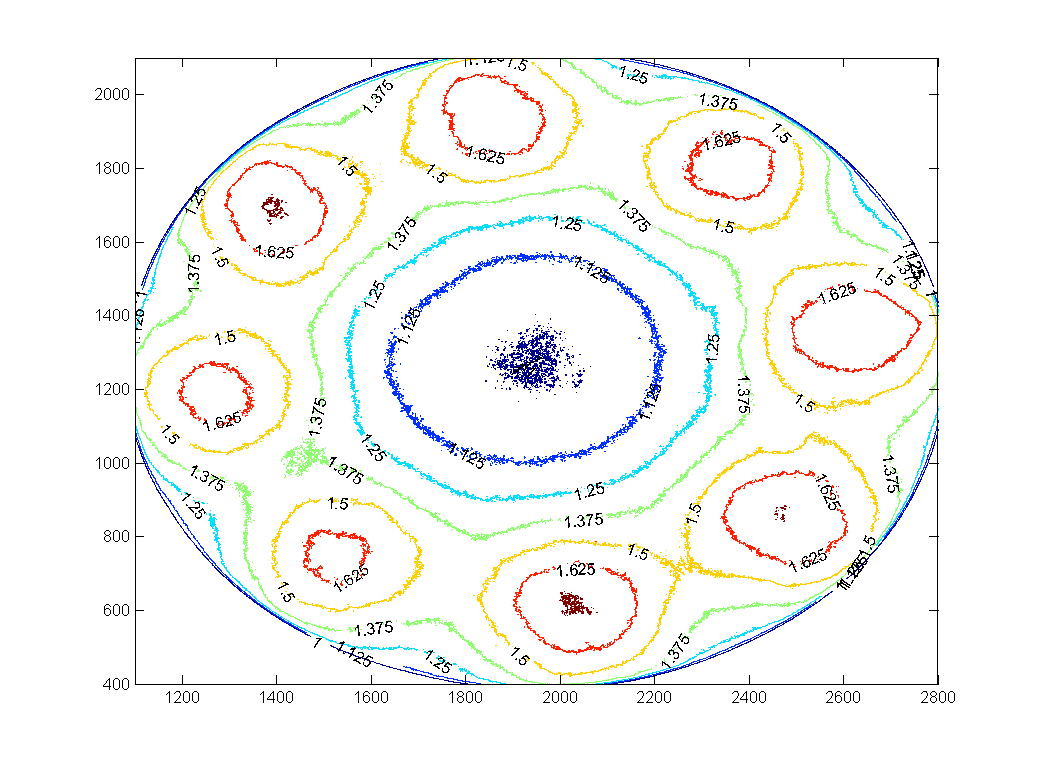
IMG_2922 is GM01 (10um sandblast)
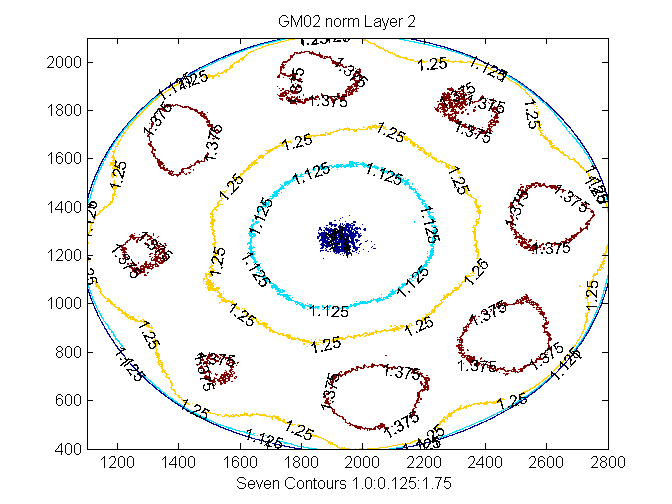
IMG_2926 is GM02 (2 sided bead blast)
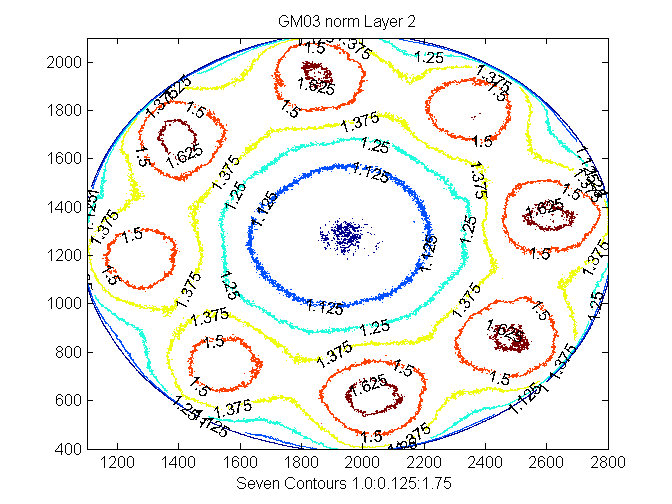
IMG_2933 is GM03 (Al2O3 sandblast 300 mesh 60 psi 12” distance)
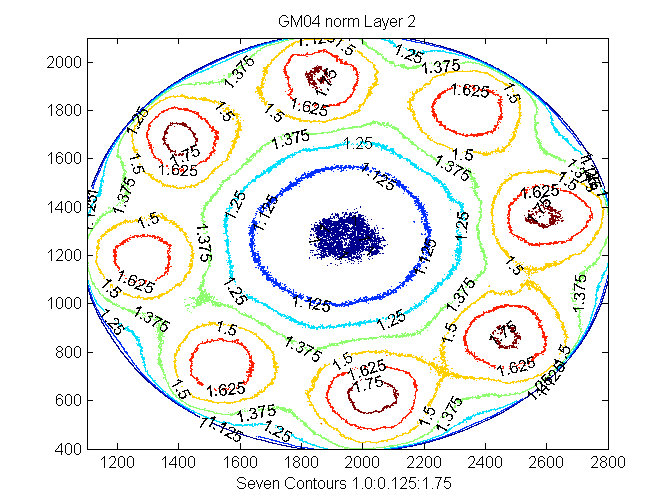
IMG_2938 is GM04 (2 sided lap by hand 70 um silicon carbide)
IMG_2942 is a smaller diameter piece of commercial opaque quartz that will not fit into the SQM until I make an adaptor/holder. So I just held it between the camera and the SQM.
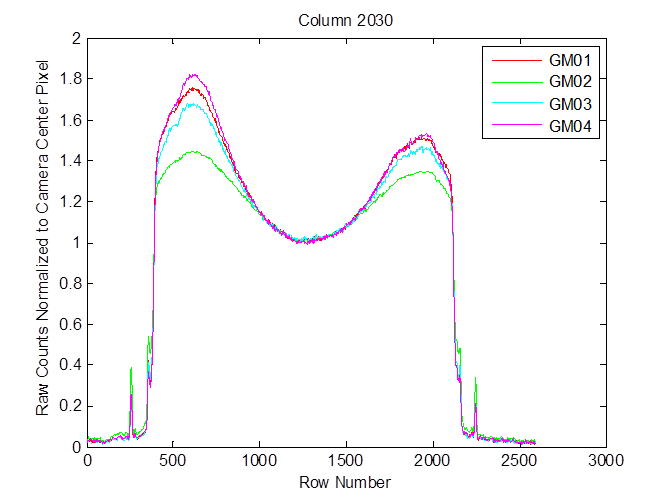
And
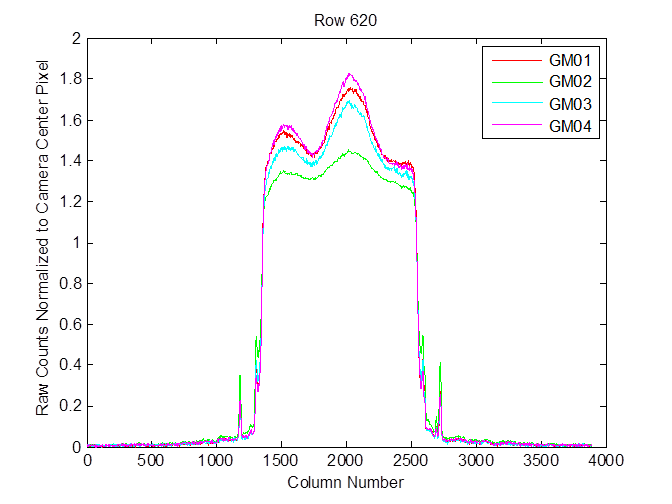
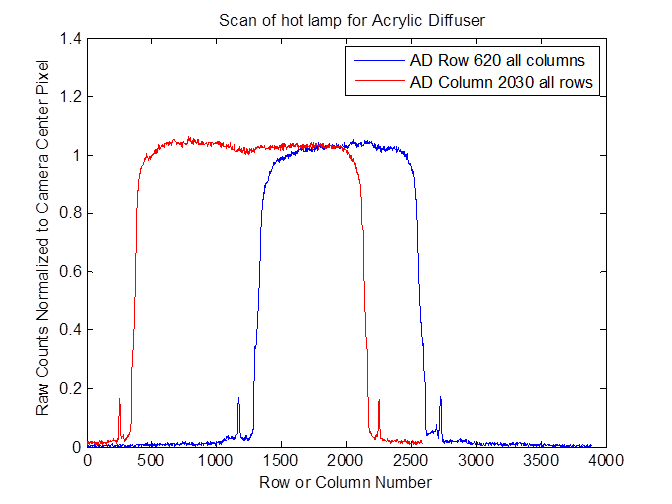
Which is pretty bad compared to the acrylic diffuser (both rows and columns over hot lamp shown)
Hi Steph,
Here are the logsheets from Dec 3 (four pages in one file).
Also the associated SQM housekeeping file – current format (V1) we are working on V2
Modified version of your sqmread_.m because the file format now has 24 h clock and had a “T” in there. I also fixed it so it would run if there were not all three lamp levels, not elegant but seems to work ok.
And then there are four photos of the setup.
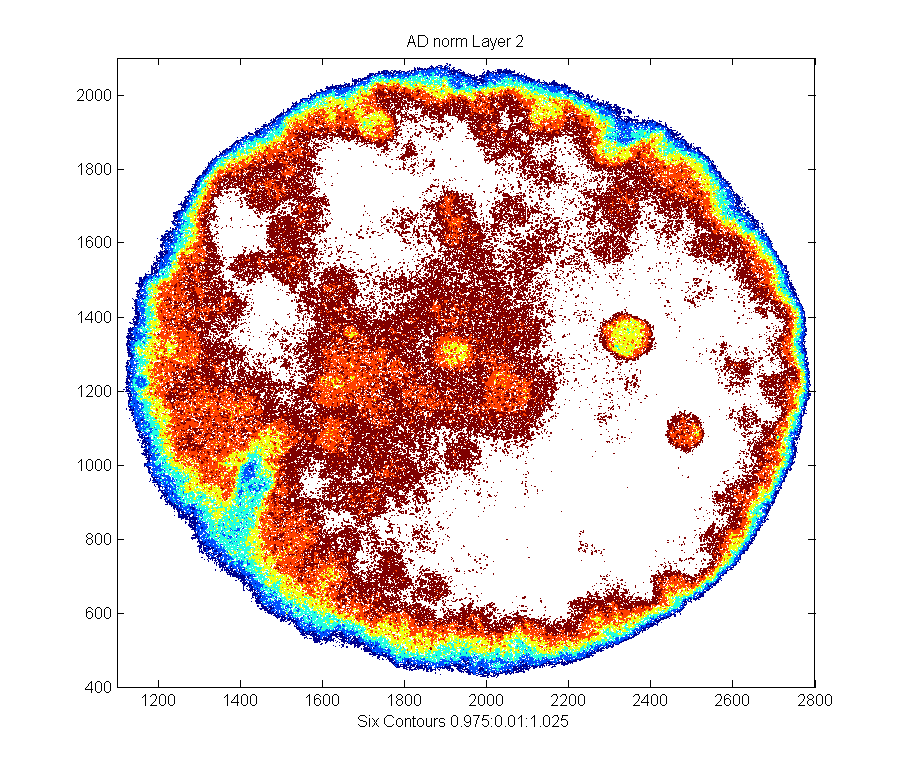
Finally I am sending you contour plots for the TIFF files that came from the RAW images, which I put on Google Photos Friday.
You can put all of this on the SQM web site as you wish so the group can examine.
Things I learned
I’m pretty sure PD1, 2, 3 (in increasing column order) are RED, WHITE/Broadband, BLUE but I will double check next time.
I’m confident T1, 2, 3, and 4 correspond to Tshunt, Tcase, Tphotodiode, and Tunknown. Tunknown is warm, but not as hot as Tshunt. So it is not an ambient, perhaps it is somewhere in the electronics.
It took about 45min from when I turned on the temperature control (OFF to Standby) for the SQM temperatures to look stable, by stable I meant Tcase ~= Tphotodiode.
Carol
Files sent:
GM01_contourLayer2.png GM04_contourLayer2.png Setup_IMG_1588.JPG Setup_IMG_1591.JPG
GM02_contourLayer2.png SQM_20151203_001.txt Setup_IMG_1589.JPG readsqm_.m
AD_contourLayer2.png GM03_contourLayer2.png SQM_logsheets_03Dec2015.pdf Setup_IMG_1590.JPG